Sunday, April 2, 2017

How to get User List who are hidden in Address List

Run in Exchange Command Shell:
Get-Mailbox | Where {$_.HiddenFromAddressListsEnabled -eq $True} | Select Name, HiddenFromAddressListsEnabled | export-csv c:\temp\hiddenfromGAL.csv

How to get Disabled AD users


Import-Module ActiveDirectory
Get-aduser -filter "Enabled -eq 'false'" | Select samaccountname,name,enabled  | export-csv c:\disabledusers.csv

Exchange Email Log Tracking


Email tracking logs in exchange Server  by below command

Get-TransportServer | Get-MessageTrackingLogs -sender "Sender Name" -Recipient "Recipient Name" |fl

Thursday, March 9, 2017

How to get DNS server and FQDN name / IP Address of Computer

Use Of NSlookup:
1. Start
2. Run
3. Type:cmd
4. nslookup 192.168.1.107 will show the DNS server and Device/Computer Name
5. nslookup tid-107 will show the DNS server and IP Address


Clearing the DNS Cache on Computers and Browsers


For Windows
  1. Click Start.
  2. Enter cmd in the Start menu search text box.
  3. Right-click Command Prompt and select Run as Administrator.
  4. Run the following command:
    ipconfig /flushdns
    If the command succeeds, the system returns the following message:
    Windows IP configuration successfully flushed the DNS Resolver Cache.

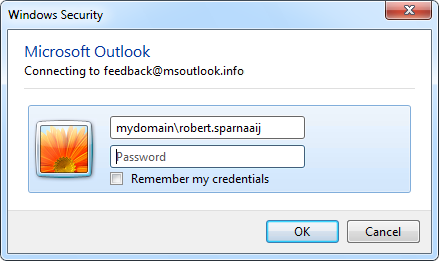
Outlook prompts you repeatedly for a password


Outlook  prompts you repeatedly for a password

outlook 2007 password prompt এর চিত্র ফলাফল


1. Make Sure Outlook is close
2. Then go to start/settings/Control Panel
3. Double Click on Mail/Then E-mail accounts
4. On the email tab highlight your username(your email address) and hit Change
5. Then Click on More Settings/Connection/Exchange Proxy Settings
6. Then unclick the "Only connect to proxy servers that have this principal name in their certificate" the msstd:webmail.MyDomain.com box will go grey.
7. Then hit OK/Then Apply/Then OK/Then Cancel/Then Close/Then Close
8. Open Outlook and Put in Domain\(Your username) and password.
Put check Mark on remember my password.

Tuesday, February 28, 2017

Showing 0xc000000e: XXXXXXXXX referenced memory at XXXXXXXXX(same). The required data was not placed into memory because of an I/O error status of 0xc000000e.


The crash/Event is caused by paging I/O error. this issue possibly because of a bad hard disk drive, a bad disk array, or a bad controller card.

We can try troubleshoot this issue by taking the following steps.

1. Login the computer in Safe Mode.
2. Go to run 
3. Type cmd press Enter  then CMD window will open.
4. Run the following command:

Chkdsk /R

If a message is received asking if we will schedule the check the next time the system restarts, select "Y". Then restart the computer and we will be able to finish the scan.

4. After that, please try running disk defragment also in "Safe Mode".
5.Restart the computer to test this issue. 

plz let me know your findings.